


The Browser Exploitation Framework (BeEF) is a wonderful tool to have in your pentest arsenal. The latest version of the framework is written in Ruby and requires Ruby version 1.9.1 or greater in order to run. The default version of Ruby that Ubuntu 10.04 LTS installs with the apt-get install ruby command is 1.8.7. While Ruby version 1.9.1 is available from the apt repository I decided not to alter the system version of Ruby and used Ruby Version Manager (RVM) to install a local version of Ruby 1.9.2 to run BeEF. RVM is a command line tool that allows you to install multiple Ruby environments.
These instructions assume you have a default install of Ubuntu 10.04 LTS. The examples also show all commands being run as a normal user, not root, as any commands that require elevated privileges will use the sudo command.
Our first step will be to install our prerequisites:
sudo apt-get install curl git-core ruby subversion libssl-dev libsqlite3-dev
Now that we have our prerequisites installed, let's install RVM:
bash < <(curl -s https://raw.github.com/wayneeseguin/rvm/master/binscripts/rvm-installer)
You will now have to restart your shell so the RVM environment will be in place. Simply type exit or Ctrl-D to exit out of your current shell, then start a new shell. Now that RVM is installed we can install Ruby 1.9.2:
rvm install ruby-1.9.2-p290
Once we have installed Ruby 1.9.2, we can set it to be our default Ruby version for this user:
rvm --default ruby-1.9.2-p290
We will want to verify that Ruby 1.9.2 is our default version:
ruby -v
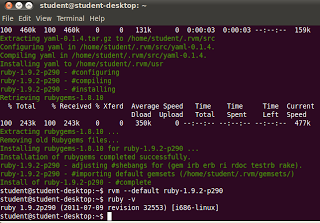
With RVM and Ruby 1.9.2 installed, let's move on to BeEF. I like to set up my tools in a tools directory, so let's create the directory and download the framework:
mkdir ~/tools
cd ~/tools
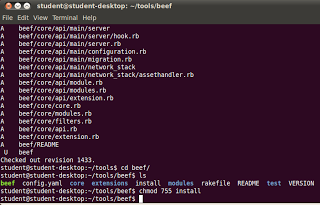
svn checkout http://beef.googlecode.com/svn/trunk/ beef
cd beef
The framework comes with an install script to help make sure you have the prerequisite Ruby gems installed for the framework to run. Let's make the script executable and run it to see what we need:
chmod 755 install
./install
We need to remember that we are using RVM to maintain our Ruby environment and will have to install the needed gems with the rvm command and not apt-get:
rvm all do gem install ansi term-ansicolor dm-core json data_objects do_sqlite3 sqlite3 dm-sqlite-adapter parseconfig erubis dm-migrations
rvm all do gem install librex -v0.0.52 --no-rdoc --no-ri
Now let's fire up BeEF:
./beef
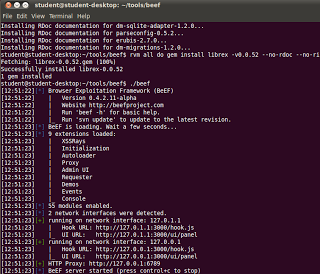
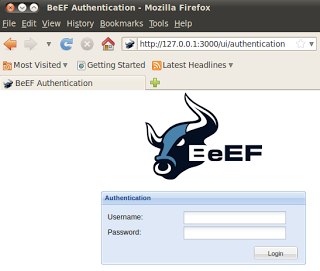
We now have the Browser Exploitation Framework installed and running on Ubuntu 10.04 LTS. Log into the web interface and let the good times roll.
Want a team that uses tools like BeEF during your penetration test?
Our consultants use browser exploitation, social engineering, and custom tooling to find what automated scanners miss. Reach out to discuss a penetration test.
Talk to Our Team