


NMAP is a wonderful network scanner and its ability to log scan data to files, specifically XML, helps quite a bit. This enables the scan data to be parsed by other tools such as Metasploit's db_import or even NMAP's own Zenmap GUI. While XML is great for parsing, it's not really easy for humans to read. Many people are unaware that the NMAP XML file can also be converted into a nicely formatted HTML file via a tool called xsltproc. Today I want to give a quick rundown of how to do that from start to finish using a Kali Linux VM and Metasploitable2 VM.
Lab Setup
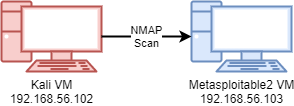
The setup for this exercise used two lab VMs: a Kali VM and a Metasploitable2 VM. The Metasploitable2 VM serves as a target to be scanned via NMAP from the Kali VM. The diagram below shows the configuration of the lab.
Scanning to Create the XML Scan Data File
From the Kali VM we want to scan all TCP ports on the Metasploitable2 VM and run it with version detection and default scripts. I generally like to log in all data formats using the -oA [filename_prefix] switch and argument. If you only want the XML file, you can use the -oX switch instead. For this lab, I used the following command as root to run the scan:
nmap -sTV -p- -A -vvvv -oA metasploitable2_tcp_scan 192.168.56.103
A breakdown of the switches in that command is as follows:
| Command Part | Description |
| nmap | The NMAP command itself. |
| -sTV | TCP connect scan with version detection. |
| -p- | Port selection: all ports from 1-65535. |
| -A | Enables several modes: version and OS detection, default scripts, and a traceroute against the system. |
| -vvvv | Very high level of verbosity. |
| -oA metasploitable2_tcp_scan | Output data in all formats, resulting in a NMAP text file, grepable file, and XML file. The string that follows the switch is the filename prefix. |
| 192.168.56.103 | The target host being scanned. This is the IP address of the Metasploitable2 VM. |
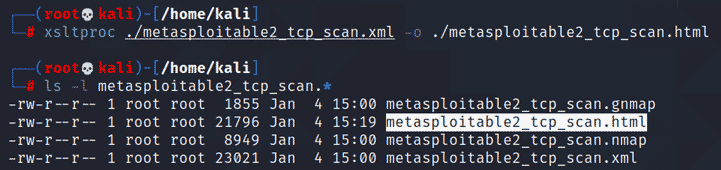
Once the scan finished, we can see the three files created by the -oA switch:

Converting the XML File Into an HTML File
This is where xsltproc comes in. This tool converts the XML file into a nicely formatted HTML file. To perform this conversion, run the following command:
xsltproc metasploitable2_tcp_scan.xml -o metasploitable2_tcp_scan.html
This command will run and if successful, will silently exit. It will generate a new file called metasploitable2_tcp_scan.html, as shown below.
Viewing the Results
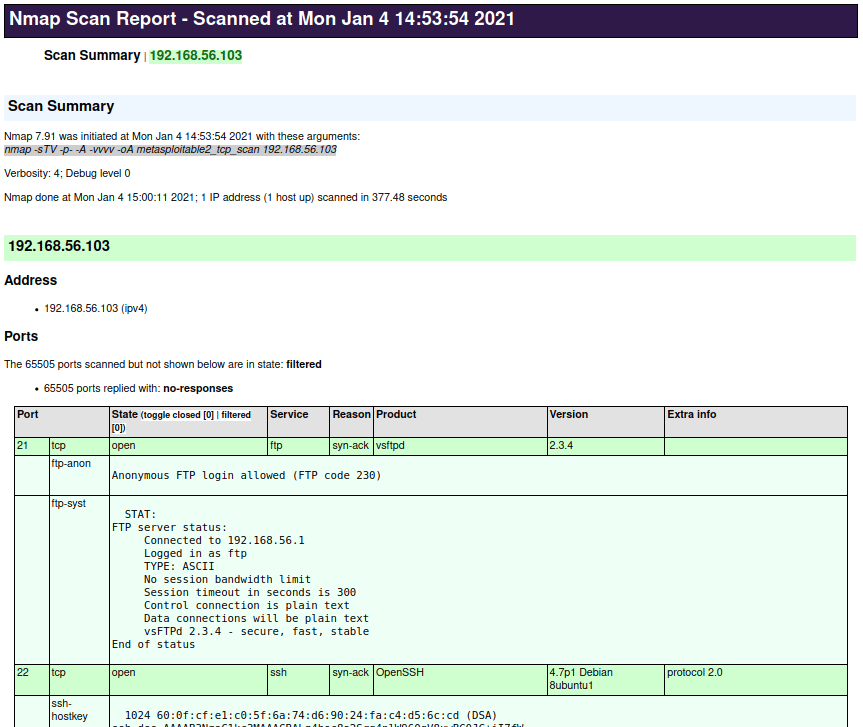
Now that we have the HTML file, it can be viewed in the web browser of your choice. The HTML file is designed to be a clean, table-based report. Any scripts that produced output during the scan will appear in the rows underneath the corresponding port, using a lighter color shade as the background. The screenshot below shows a sample of what this file looks like:
Conclusion
I hope you've enjoyed this post and learned something new about NMAP XML files. If you're interested in security fundamentals, we have a Professionally Evil Fundamentals (PEF) channel that covers a variety of technology topics. We also answer general questions in our Knowledge Center. If you're looking for a penetration test or have general security questions, please contact us.
Want to do more with your Nmap data?
HTML reports are a great start, but converting scan output to CSV makes filtering and analysis even easier. Check out our guide to parsing Nmap results into a format you can work with in Excel.
Read: From Nmap to CSV